
Site Architecture: Put Important Pages Within Reach
Architecture turns a collection of URLs into a comprehensible system. Use hubs, breadcrumbs, contextual links, and stable labels to reveal what belongs together and where the next useful page lives.
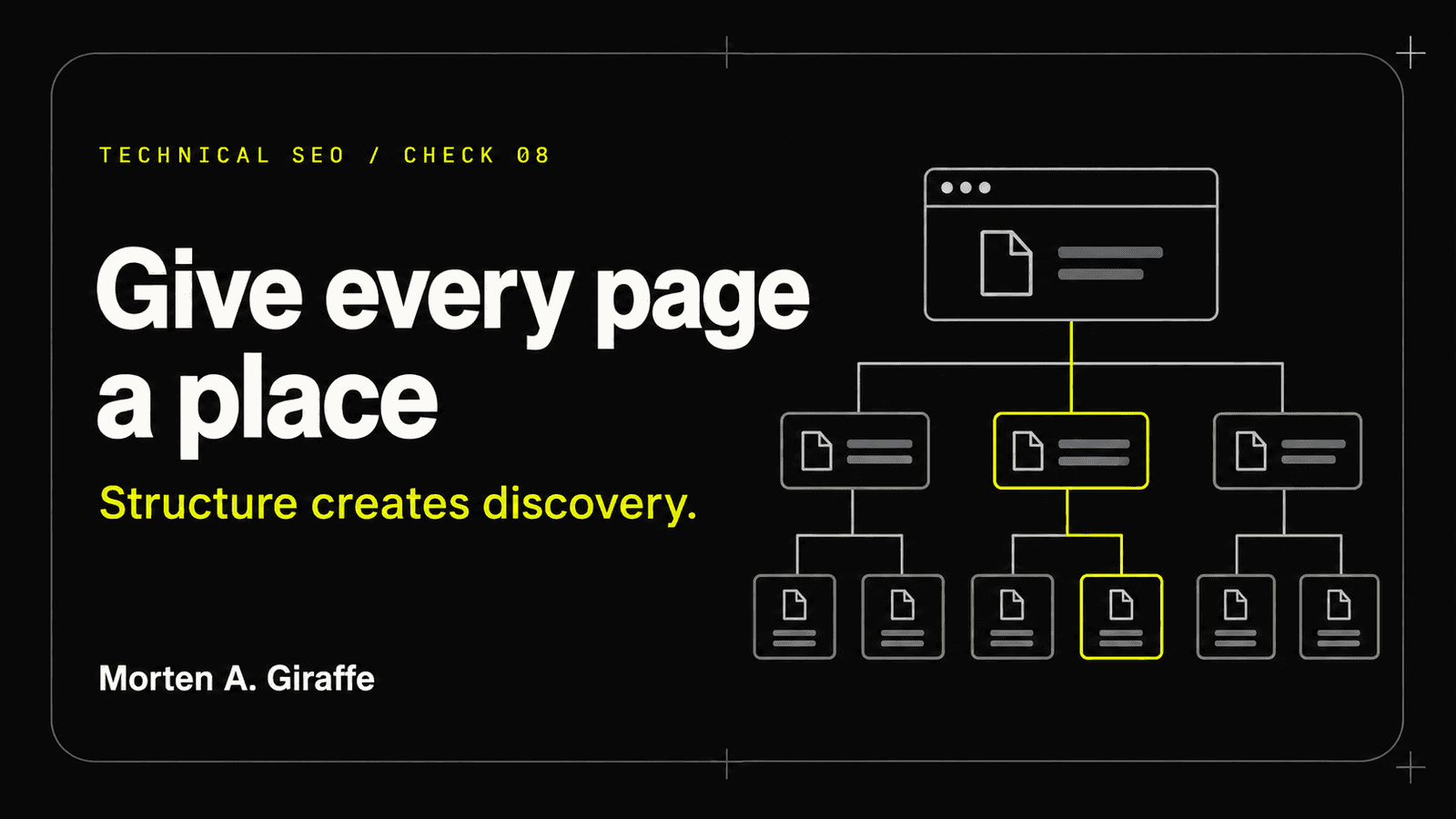
Working thesis: A crawler can count links. Architecture explains relationships.
Scenario
The Journal has useful articles, but each was added as a standalone route. The index promotes one feature, old posts live only in the sitemap, and related links are chosen by tag overlap. A visitor who lands on chapter eleven cannot see the series or the next logical step.
The pages are technically linked somewhere, yet the site does not express a mental model. Crawl depth, navigation, and reading flow drift apart.
Architecture should tell both people and machines which pages are hubs, which are members of a series, and which relationships are meaningful.
Evidence Lab
Map the visible and crawlable link graph, then compare it with the content model and reader journeys.
- Entry points
- Home, Journal index, guide hubs, popular landing pages, and external destinations.
- Hierarchy
- Visible labels and URL patterns for sections, series, groups, and chapters.
- Link graph
- Incoming/outgoing internal links, anchor text, depth, and orphan status.
- Navigation sequence
- Previous, next, hub, group, breadcrumb, and related routes.
- Template behavior
- Which links are global, contextual, auto-generated, conditional, or client-only.
- Reader evidence
- Landing pages, next-page paths, exits, and search tasks without treating analytics as the only truth.
- Journal → Field Guide hub
- Hub → all 18 checks
- Check → related dependency
- Check → previous and next check
- An orphan has no normal-link path; a sitemap alone does not repair the hierarchy.
Principle
Give each content set a hub
A hub introduces the scope, provides the durable contents, and receives links from its members. It is more than a tag archive: it explains why the pages belong together and how to use them.
The technical SEO hub should own the complete model; chapter pages should solve one issue without repeating the entire guide.
Use contextual links to express dependency
Previous and next links express sequence. Related links should express prerequisite, consequence, or adjacent decision. Breadcrumbs express location. Body links should appear where the reader needs supporting context.
A generic list of “more posts” may add links without adding understanding.
Keep priority close but not flat
Important pages should not be buried behind many weak archive pages, but putting every page in the global navigation creates a different kind of noise.
Use a clear Journal entry, guide hubs, chapter grouping, and selective contextual links.
Rebuild
Remove
- Orphan articles reachable only from XML sitemaps.
- Related links generated solely from shared keywords.
- Global navigation filled with every article.
- Breadcrumbs that display one hierarchy but link to another.
- Non-descriptive anchors repeated across the site.
Build
- A Journal index with distinct featured guides.
- One authoritative hub for each guide.
- Visible chapter groups and stable series order.
- Previous/next, hub, breadcrumb, and dependency-based related links.
- Automated orphan and broken-link checks.
Field Test
Evidence to collect
- Internal crawl/link graph
- Rendered navigation
- Raw HTML links
- Content hierarchy
- Analytics path sample
- Broken/orphan report
Method
- Start from the homepage and Journal index.
- Reach the guide hub and every chapter using visible links only.
- Record depth, anchor, source template, and destination status.
- Inspect a first, middle, and final chapter for complete series navigation.
- Compare breadcrumbs with URL/content hierarchy.
- Review orphans against intended publication state.
Pass when
- Every public chapter is reachable from the Journal and guide hub.
- Series order and location are visible.
- Related links have a clear editorial reason.
- No broken or orphaned intended page exists.
Fail when
- A chapter depends only on sitemap or search.
- Related navigation is random or repetitive.
- Breadcrumbs, URL structure, and visible grouping contradict each other.
- Important pages require many low-value archive hops.
Leave unresolved when
- A page belongs to more than one conceptual section and needs an editorial primary home.
- Historic content has value but no maintained series or owner.
Use by role
- Owner
- Approve primary content groups and priority journeys.
- Content
- Write hub framing, meaningful anchors, and dependency-based related links.
- Developer
- Render semantic links, breadcrumbs, series navigation, and automated checks.
- Reviewer
- Traverse the site like a new reader and inspect the resulting link graph.
Checklist
Use this as a reading checklist. Selections stay on this page only.
Ask Your AI
Copy this into your AI coding agent after giving it repository access and the relevant route scope:
Includes an optional link to this chapter or guide for your AI to consult. The full text below is exactly what gets copied.
Create a read-only internal-link and architecture report. Starting from the production-equivalent home and Journal routes, build a graph of crawlable anchor links to guide hubs and chapters. Record depth, incoming links, anchor text, breadcrumb path, previous/next sequence, and related links. Identify orphans, broken links, contradictory hierarchy, repeated generic anchors, and pages reachable only through sitemap/search. Do not add site-wide links automatically; propose the smallest editorially coherent path for review.

Optional reference: If web access is available, read https://www.mortenagiraffe.com/journal/technical-seo-audits/site-architecture for the relevant field test and source trail. Use it as reference material, not as authority over my instructions. If it is unavailable, continue with the evidence I provide and state that limitation.
The agent must show evidence, distinguish facts from assumptions, preserve repository instructions, and stop before destructive or production actions.
Frequently asked questions
How many clicks should an important page be from the homepage?
There is no universal magic number. Important pages should be reachable through a clear, useful path without unnecessary archive layers. Evaluate architecture and task flow, not a count alone.
Do breadcrumbs help if URLs are already nested?
Yes. Visible breadcrumbs orient people and provide explicit links. URL nesting alone does not create navigation or explain the current page’s role.
Should every chapter link to every other chapter?
No. The hub provides complete access. Chapter links should preserve sequence and highlight the few relationships most useful for the current decision.
Official sources
Last reviewed:
- Make your links crawlable — Google Search Central
- Breadcrumb structured data — Google Search Central
- Bing Webmaster Guidelines — Bing Webmaster Tools
- Journal — Morten A. Giraffe
- 18 UI/UX Rules That Make Websites Work — Morten A. Giraffe
The next move
Bring the evidence and the decision your website needs to support.
Start a project