
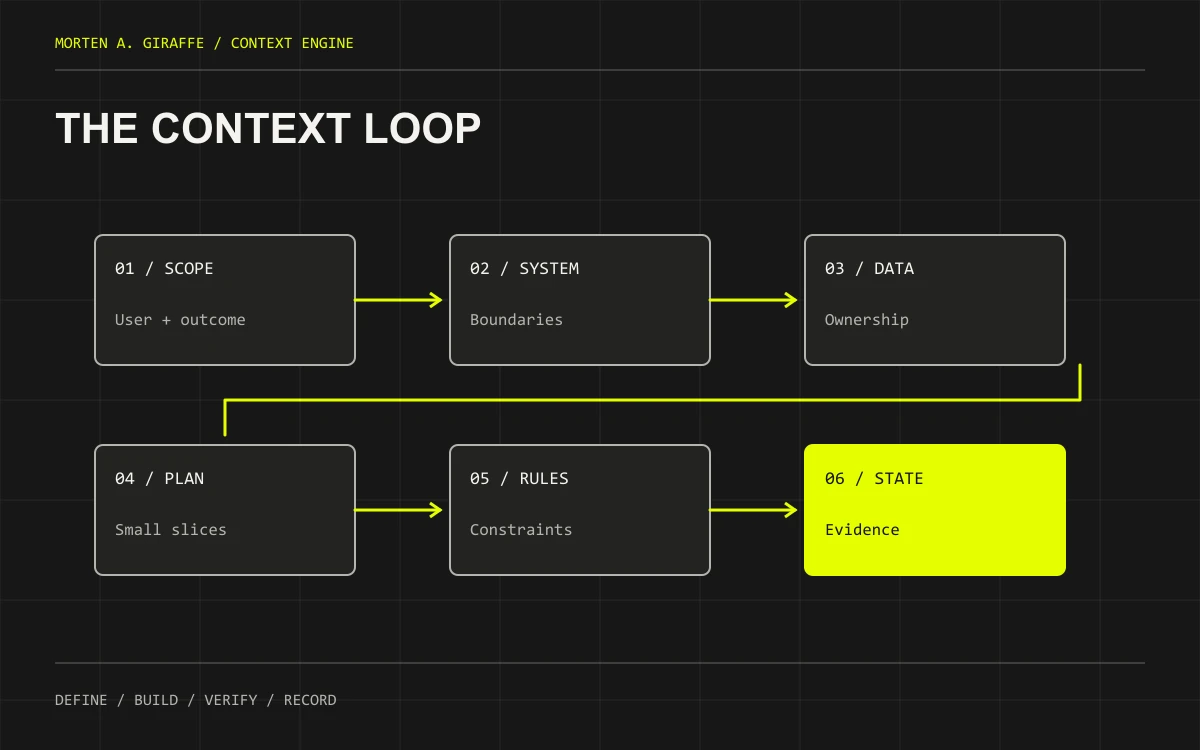
The decisions your next prompt needs.
Vibe coding gets interesting when the first working screen becomes a real project. You ask for a small change. The assistant chooses a different library, forgets an earlier constraint or confidently continues from an out-of-date plan. The missing context is often a decision nobody wrote down clearly.
Context Engine is the name for this guide’s documentation system: six connected documents that describe what you intend to build, how it should work, how you will verify it and where the work stands. It is a practical framework, not a software dependency or a promise that an AI will never lose context.
Open any document below for a detailed writing guide, a worked example, an editable Markdown template, a complete prompt and a review checklist.
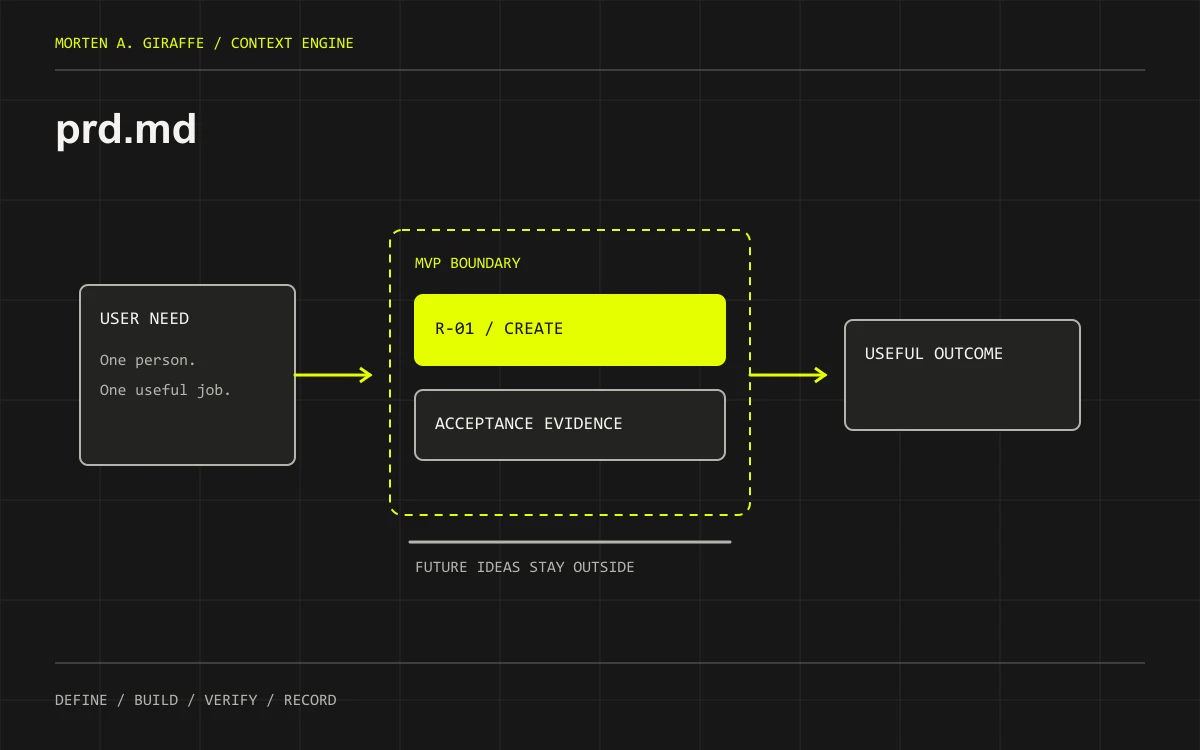 prd.mdDefine the user, the problem, a bounded MVP and observable acceptance criteria before choosing implementation details.
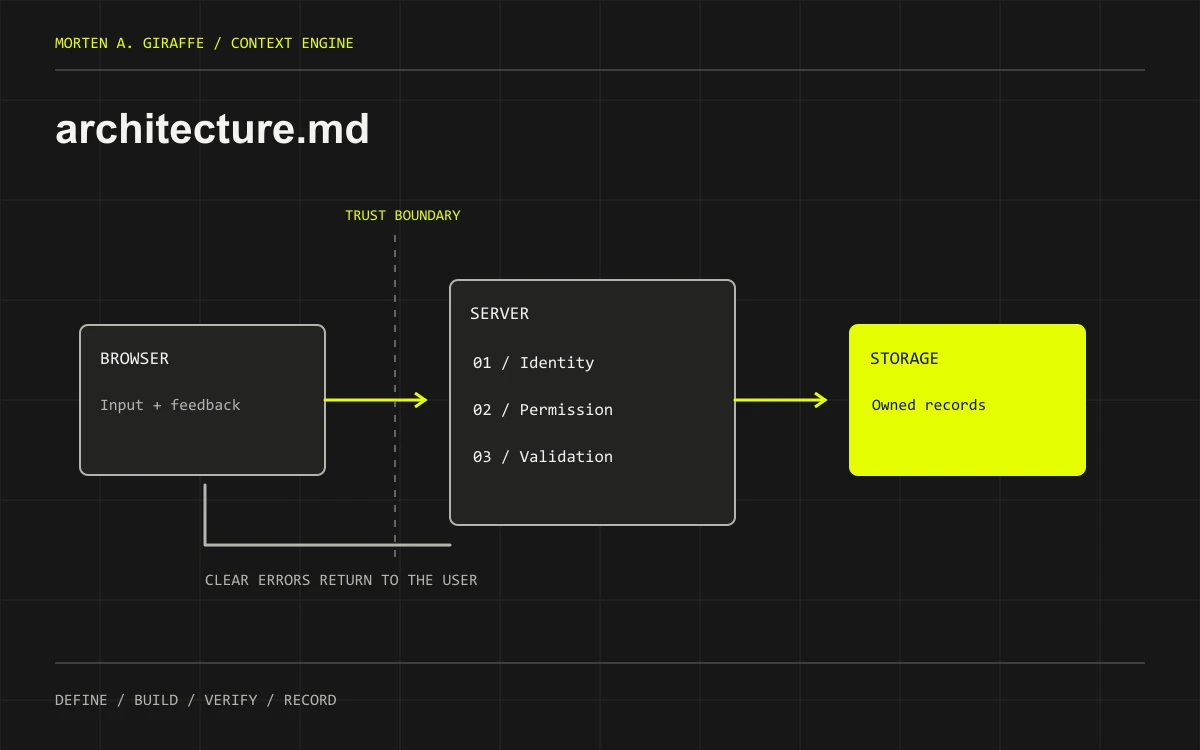 architecture.mdRecord stack decisions, boundaries, user flow, deployment shape and the interfaces that connect the product.
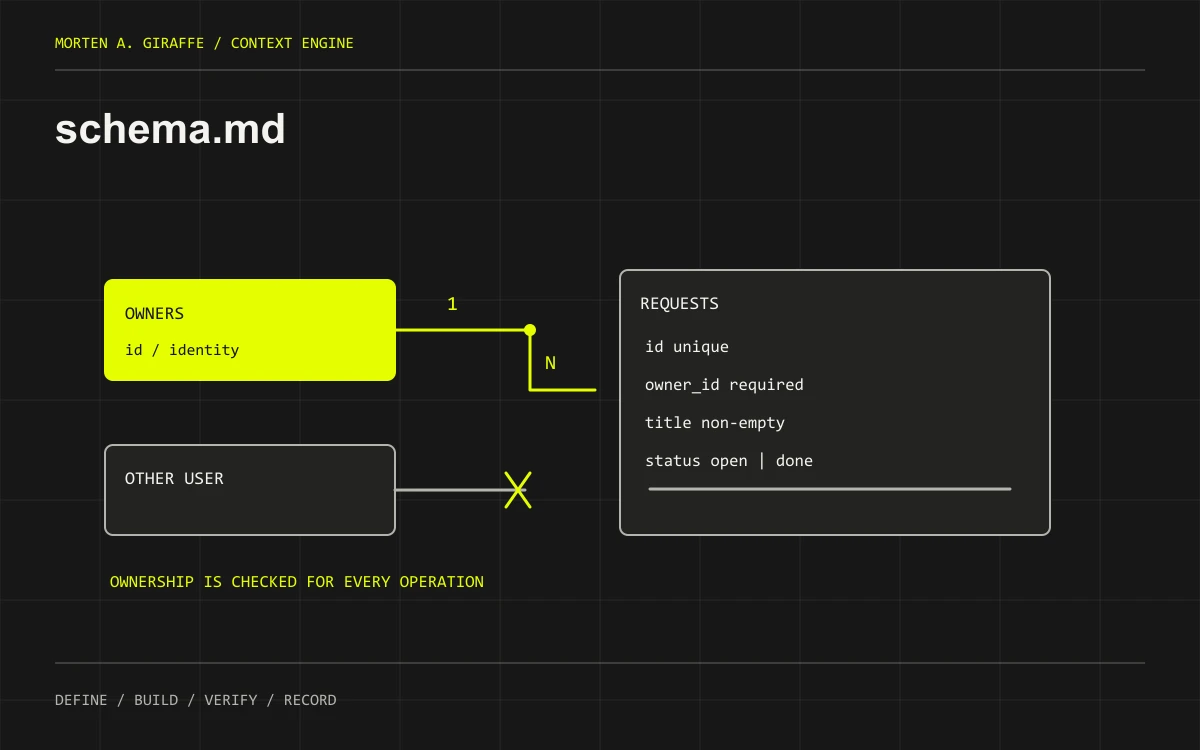 schema.mdDefine entities, relationships, constraints, lifecycle and access rules before real data enters the system.
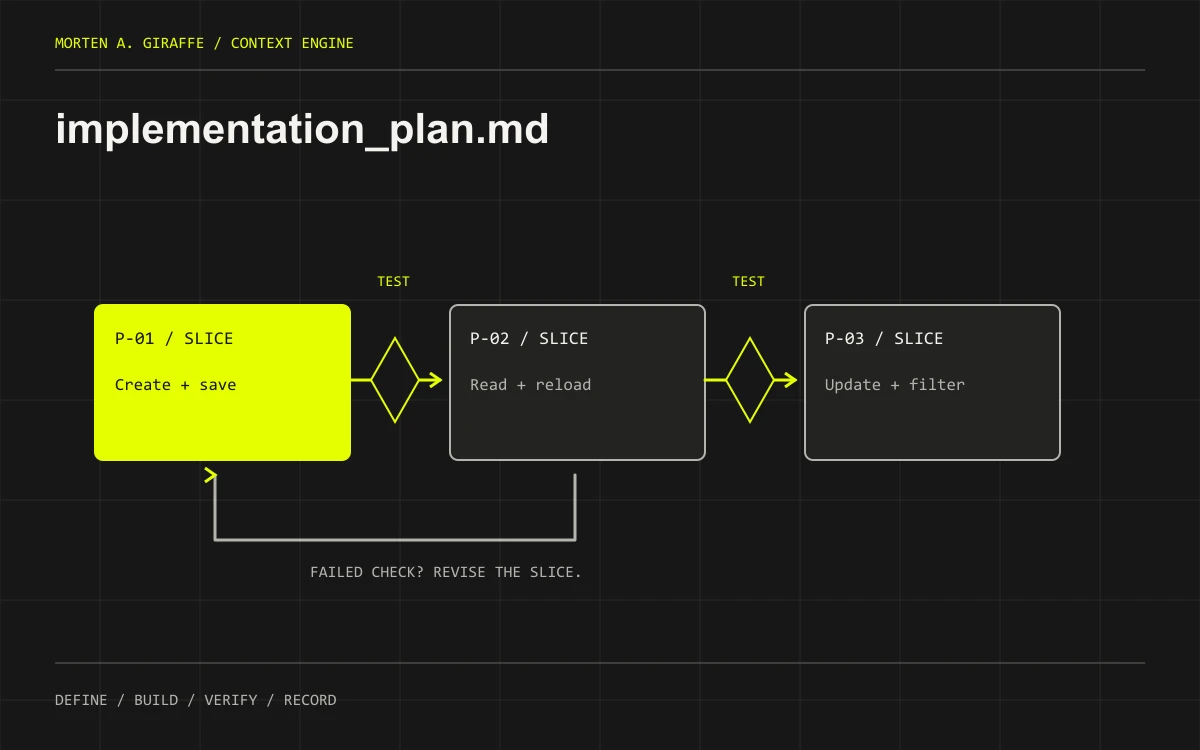 implementation_plan.mdTurn requirements into ordered, verifiable slices with dependencies, failure checks and a recovery path.
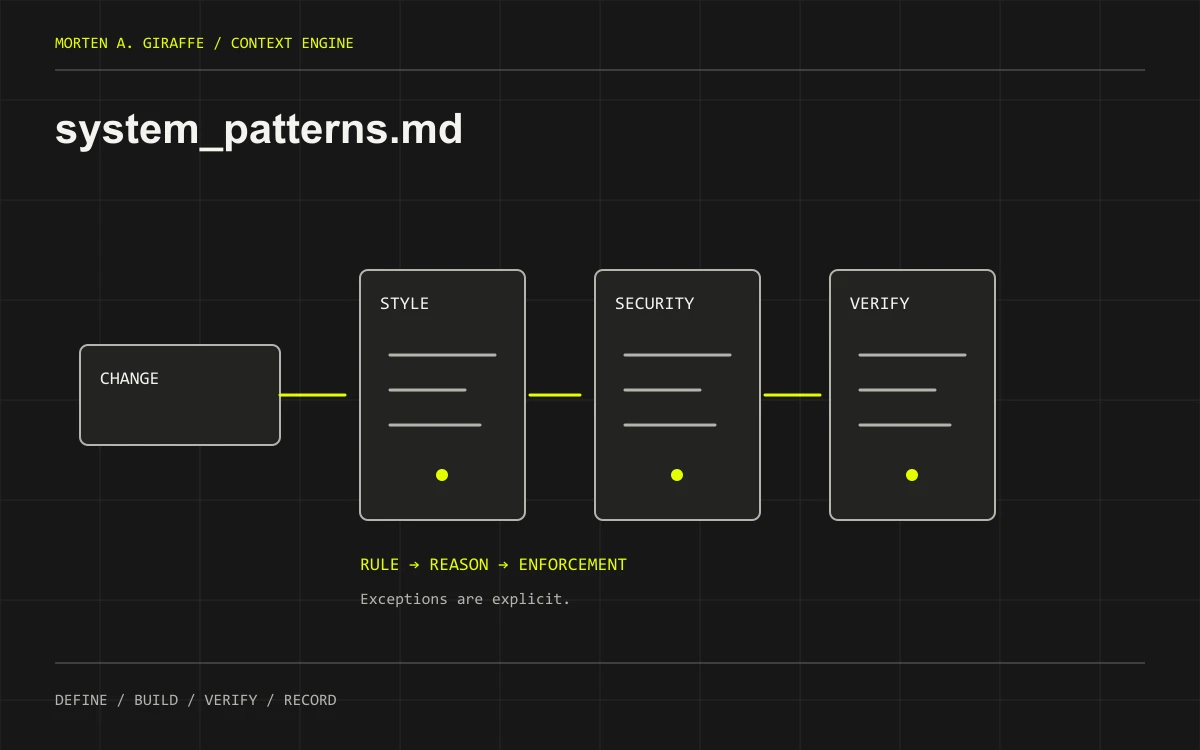 system_patterns.mdDefine enforceable coding conventions, security boundaries, verification habits and the rules for using AI assistance.
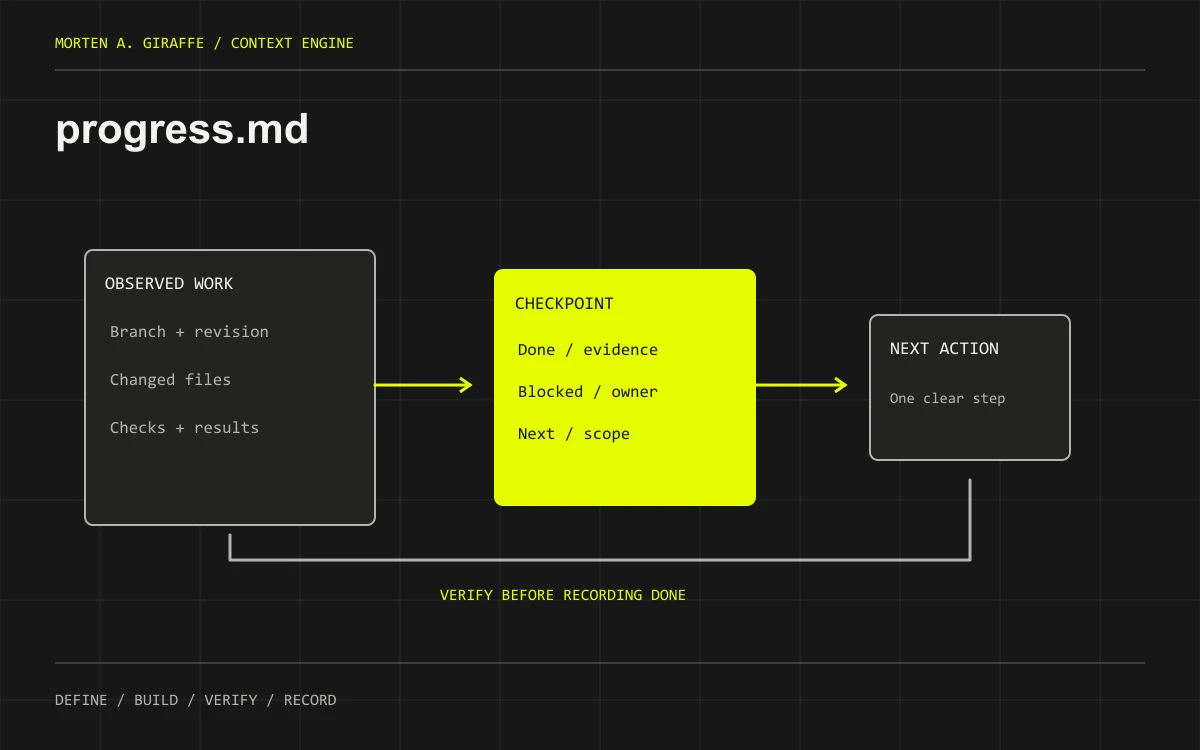 progress.mdKeep a compact, evidence-backed checkpoint so the next session can resume without trusting a stale conversation summary.
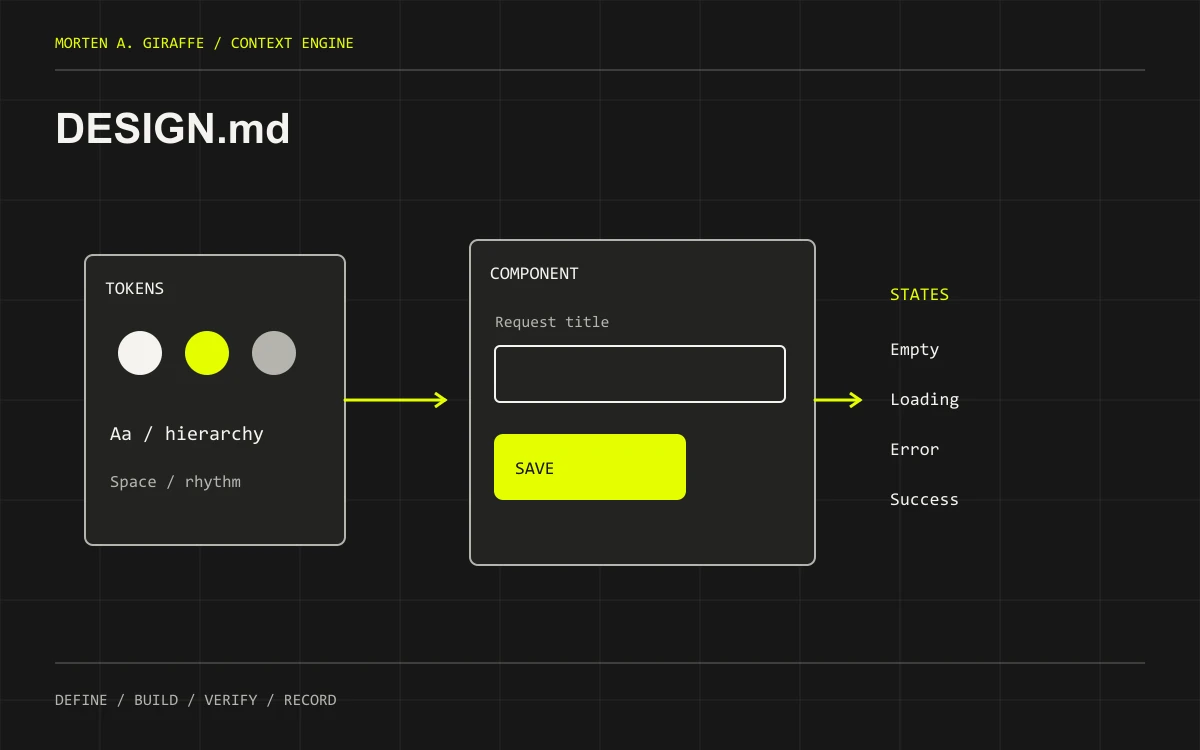 DESIGN.mdAn optional seventh document for projects that need more than the short design brief in the PRD.
Required thinking. Proportional paperwork.
Six files are a useful default for an application with behavior, data and multiple work sessions. They are not an entrance exam. The important requirement is that the decisions have a clear home and stay accurate.
- A small static site: keep the PRD short, record the stack and route structure, use a small plan and checkpoint. schema.md can say there is no application database while identifying any external form or analytics storage.
- An app with accounts and saved data: use all six. Ownership, permissions and failure behavior deserve explicit treatment before real data arrives.
- A product with complex UI: add DESIGN.md when the PRD brief cannot hold the component states and token rules clearly.
- A regulated or high-risk system: this starter is not a substitute for specialist review, threat modeling, formal controls or the additional records your project requires.
For an existing repository, improve the documentation it already uses. Do not create architecture.md next to a maintained technical specification merely to satisfy this guide’s filenames. Map the responsibilities and link to the existing authority.
One home for each decision.
project/
├── [tool instruction file]   # thin entry point, tool-dependent
├── DESIGN.md                 # optional detailed design authority
└── .context/                 # memory-bank/ is also fine; pick one
    ├── prd.md
    ├── architecture.md
    ├── schema.md
    ├── implementation_plan.md
    ├── system_patterns.md
    └── progress.md
The folder name is a convention, not an activation mechanism. These templates use .context/ consistently. If you choose memory-bank/, update every reference. Keep documentation under version control when appropriate, but keep credentials, private user records and sensitive logs out of it.
Merge related concepts without creating duplicates
- MVP and design brief → prd.md. Put version-one scope next to Future Phases / Out of Scope. Keep the short UI/UX brief here and link out when the design system needs more detail.
- TRD and app flow → architecture.md. For many small projects, this is enough technical specification. Larger teams may need separate documents with clear owners. Describe navigation, interfaces and operational constraints together.
- Runtime agents → architecture.md, only if needed. Define their inputs, outputs, tools, limits and approval points. Instructions for the assistant building your app belong in working rules.
- Backend data model → schema.md. “Background schema” is clearer as data model or backend schema. Link the executable migrations or ORM model; avoid maintaining a second full copy.
- Detailed UI rules → DESIGN.md when justified. Preserve the project’s established name and capitalization. Do not rename it to an editor rule file.
If a useful section is only three lines, it can remain inside its owning document. Split when the subject needs its own review cycle, reader or source of truth—not to make the folder look complete.
Read. Decide. Build a slice. Verify. Record.
- Establish intent. Draft the PRD from real inputs. Resolve the user, outcome and version-one exclusions before asking for a full build.
- Make the important technical choices. Draft architecture and schema together. A missing permission model is a blocking decision, not a detail to improvise later.
- Set the working agreement. Read system_patterns.md before editing. Keep existing repository instructions and action permissions in view.
- Plan the first small outcome. Map it to a requirement, name its allowed files, and define both the success and failure checks. Initialize progress.md with the actual starting state.
- Load only the relevant context and implement. Supply the active phase plus the documents it depends on. Ask the assistant to identify files read and missing context. A summary of what it read is a useful check, not proof of perfect compliance.
- Verify behavior and record evidence. Run the relevant commands and use the interface. Update progress.md with what passed, failed or remains unverified. Continue only when the next phase’s prerequisites are satisfied.
Writing a plan does not authorize every action in it. Keep deployment, production data, migrations, paid services and external messages behind the permissions appropriate to your project. A local build passing does not prove the hosted product works.
Read the core decisions during setup. On later sessions, start with the applicable instructions and progress.md, then read the active plan and relevant source documents. Loading every historical note into every prompt can make contradictions harder to spot.
Follow one requirement through the system.
The chapter examples use Request Desk, a fictional request tracker for a solo consultant. It has no payments, teams, uploads or runtime AI in its MVP. The examples are teaching excerpts, not a tested starter app.
- prd.md / R-01: the owner can create a request and find it after a reload; a blank title is rejected.
- architecture.md: the form calls an authenticated server boundary. Owner identity comes from the session, not a browser-supplied owner ID.
- schema.md: requests belong to one owner. Other users cannot read or modify that record. Store constraints and denial tests are explicit.
- implementation_plan.md / P-01: build and verify that one path, including invalid input and cross-owner denial, before expanding the app.
- system_patterns.md: reuse form controls, preserve input on failure, and require permission checks on the server.
- progress.md: record exactly which checks ran against which code. If the database is unavailable, the phase remains unverified rather than “done.”
Now imagine adding team sharing. Update the PRD scope decision first, then architecture and ownership rules, then the plan. Do not quietly add workspace_id to a table while the rest of the documents still describe a single-owner product.
The documents are portable. Loading rules are not.
Keep your shared project facts independent of an editor. Use a small instruction entry point that tells the coding tool what to read. Check its active rules, supported paths and current version. The following notes were reviewed on 8 October 2026; vendor behavior can change.
- Codex: use the applicable AGENTS.md instruction chain to point to project context. Directory scope, overrides and size limits affect discovery. See OpenAI’s AGENTS.md guidance.
- Cursor: project rules in .cursor/rules/ can be applied by file pattern or other activation modes. A rule referencing DESIGN.md can target frontend work. .cursorrules is a legacy format, not the recommended home for your design authority. See Cursor’s rules documentation.
- Windsurf / Cascade: consult the rule location supported by your installed version. The current documentation redirects to Devin Desktop and lists .devin/rules/ as preferred, with .windsurf/rules/ as a legacy fallback. See the official rules and memories reference.
- Firebase Studio / IDX workspaces: Gemini’s workspace instructions use .idx/airules.md, with GEMINI.md as a fallback when that file is absent. This is not a Cursor rules path. See the workspace setup documentation.
A tool-neutral entry-point body
Adapt this text inside the instruction file your tool recognizes. It is not an installer and does not include tool-specific frontmatter. Verify the paths resolve in your project before relying on it.
# Project context entry point
Read the applicable repository instructions first.
Read .context/progress.md for current state and .context/prd.md for scope.
Before implementation, read .context/system_patterns.md and the active phase in .context/implementation_plan.md.
For architecture, interface or data work, read .context/architecture.md and .context/schema.md.
For frontend work, read the PRD design brief and DESIGN.md if present.
Resolve all paths from the repository root. Report missing files or contradictions before dependent work.
At a checkpoint, update progress.md from observed evidence. Documentation is not permission to deploy or change real data.
Test with a harmless task: ask the assistant which instruction files and project documents it read, what the current phase allows and what is out of scope. Check the answer against the actual files and, where available, the tool’s loaded-rule view. If loading fails, supply the documents explicitly.
Use the system between sessions.
Replace the bracketed inputs and keep the action boundaries specific. These prompts complement the document-writing prompts in each chapter.
Start a project
Help me establish a Context Engine for [project]. First inspect the existing repository instructions and documentation, if any. Do not overwrite existing docs or implement the app yet.
Read .context/prd.md and .context/progress.md if present; report which referenced files are missing. Reuse established filenames and sources of truth. Ask only the questions that block a useful first scope.
Draft the product agreement first, then architecture and schema, then working rules and an implementation plan. Keep unresolved choices marked DRAFT. Use a short design brief unless DESIGN.md needs separate detail. Record a baseline in progress.md.
For each draft, show assumptions, contradictions and acceptance checks. Do not invent tool access, versions, research or approvals. Finish with one small proposed build slice. No paid services, migrations, external messages or publication without my explicit authorization.
Resume a build
Resume [project] at [repo path]. Read the applicable repository instructions, .context/progress.md and .context/implementation_plan.md, then load the PRD, architecture, schema or design sections relevant to the next task.
Compare the checkpoint with current Git state and actual files. Name the documents and revisions you read; mark missing or stale evidence. If state conflicts, explain it and preserve newer or unrelated work.
The permitted task is [phase ID and allowed paths]. Allowed actions: [local edits/tests]. Closed gates: [push, deployment, migrations or other actions not approved].
State the outcome, constraints and verification before editing. Implement only that slice, run relevant checks, report passed/failed/skipped results and update progress.md with evidence and the next exact action. Stop if a required decision is unresolved or an acceptance check fails; do not silently expand scope.
End the session
Prepare the next-session handoff for [project]. Inspect the actual changed files and available verification evidence. Do not make new application changes or publish anything.
Update .context/progress.md with branch/revision, active phase, completed outcomes and evidence, unfinished work, blockers and owners, permission boundaries and one next exact action. Separate local, preview and production status.
Identify which PRD, architecture, schema, plan or design decisions changed. Reconcile documentation within the authorized scope; flag disagreements instead of inventing a resolution. Preserve outstanding risks when shortening old notes.
List exact checks run and their results; label missing or stale proof. Leave a compact restart instruction. Never claim a test, approval or deployment occurred without evidence.
A document is useful while it is true.
Give each file an owner, review date and status. “Approved” must refer to an actual owner decision; a model should not approve its own assumptions. Use requirement and phase IDs to connect scope, implementation and evidence without repeating whole paragraphs.
- Contradictory docs: stop dependent work, identify the conflicting decisions and ask the owner to resolve material choices. Newer prose is not automatically more authoritative than reviewed requirements or actual code.
- Changed implementation: update the owning document and invalidate any verification that no longer covers the change.
- Growing history: keep progress.md focused on current state. Archive old evidence by reference while retaining unresolved risks and permissions.
- Too many rules: remove duplicates, keep reasons for the important constraints and enforce what you can with tools. A prompt instruction is not a security boundary.
Before calling a slice complete, check the agreed behavior, failure states, data permissions, relevant commands and browser flow. Before a release, verify the actual target environment. The Product Audit Field Guide provides deeper checks.
For the interface itself, pair the design brief with the UI Prompt Field Guide. If the product’s offer is still hard to explain, start with The Four Questions.
Take the starter pack into your project.
The Markdown pack contains the six core templates, optional DESIGN.md template, fourteen drafting and review prompts, document FAQs and review checklists. The entry-point text and three session prompts are available above. This is an editable starting point, not approved requirements or executable setup. Each chapter also offers its individual template.
Download the Markdown starter packOriginal framework, examples and prompts by Morten A. Giraffe. Tool-loading notes link to vendor documentation above. No account, email address, installation or paid service is needed to read or download this guide.
Before you hand it to your AI.
Do I need all six documents before writing any code?
You need enough agreed context for the next safe slice. Begin with a bounded product outcome, the important technical and data decisions, working rules and a verification plan. A static site can keep several sections very short. A prototype may explore an unresolved question, but label its assumptions and avoid presenting exploration as an approved production design.
Which document should I write first?
Start with the PRD so the technical choices have a product to serve. Work through architecture and schema together, then set the working rules and phase plan. Initialize progress.md from the actual repository state. The sequence is iterative: a data constraint may send you back to revise scope before implementation begins.
Will this stop an AI assistant from forgetting instructions?
No document system guarantees that. The assistant must actually receive the relevant files, and tool discovery rules and context limits vary. Use an explicit entry point, ask which sources it read and compare its plan with the files. Keep the current task small enough that the important decisions remain visible.
How do I use this with an existing codebase?
Map the six responsibilities to documents already maintained in the repository. Inspect current behavior and instructions before drafting replacements. Fill genuine gaps and link existing authorities. The goal is a reliable map of the project, not a second documentation system that disagrees with the first.
What should I do when documents disagree?
Identify the exact competing statements and the work that depends on them. Check owner decisions and implementation evidence; do not assume the newest timestamp wins. Resolve material product or permission choices with the owner, update the owning document, and reconcile dependent plans before continuing.
How do I use the two prompts on each document page?
Use the drafting prompt with project facts to produce or revise the document. Review the result yourself, then use the review prompt with the draft and supporting sources to find gaps. The second prompt is a structured critique, not independent certification. Keep unresolved decisions visible instead of letting one AI response approve another.
Should I put secrets or customer examples in the context folder?
Keep credentials and private records out of shared project documentation and copyable prompts. Use configuration names and synthetic examples. If a task requires sensitive data, decide its authorized location and access separately; the presence of a template does not authorize sharing that data with a coding service.
When is the Context Engine ready to use?
When the next task has an agreed outcome, relevant decisions, clear permissions and an observable verification step, and the checkpoint matches current state. It will keep changing as evidence arrives. A complete folder is not a completed product; local checks, preview behavior and production verification still need their own evidence.