
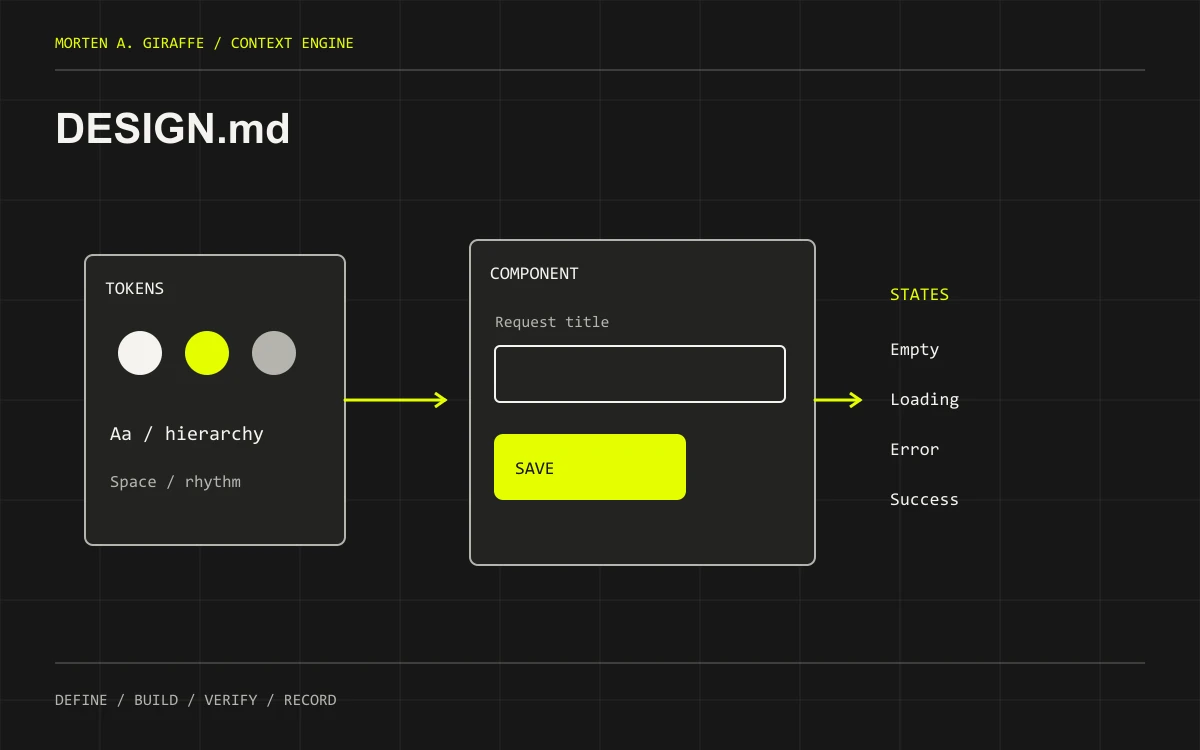
An optional seventh document for projects that need more than the short design brief in the PRD.
Split this out when tokens, component states and responsive rules need their own maintained authority. Keep a small project’s short brief in prd.md.
Bring this context first
- PRD's design brief and actual user journeys.
- Existing design tokens, components, screenshots and accessibility requirements.
- Approved visual references with permission to use any assets.
Describe a system, not a mood board
Document typography roles, spacing, surfaces, color tokens, content hierarchy and reusable components. Record the actual source paths when a design system exists. A palette and the word “premium” do not explain how a form error or an empty list should work.
Include behavior and difficult states
Describe keyboard focus, error association, loading, empty, success, disabled and permission-limited states. Explain small-screen reflow and reduced-motion behavior. A good-looking default screenshot is only one state of an interface. Include the verification action next to each important rule.
Keep it independent of the editor
Use DESIGN.md or the established local name as the shared design authority. A Cursor rule can reference it for frontend work, but renaming the design document to .cursorrules does not make it portable or correctly scoped. Tool-specific activation belongs in the adapter; visual decisions belong in the design document.
Avoid competing sources
Link from the PRD to the detailed design reference, and from that reference to actual tokens and components. When code and documentation diverge, decide which is intentional and reconcile both. Do not create design.md beside an existing DESIGN.md on a case-sensitive deployment system.
One project. A concrete example.
Request Desk is a fictional app for a solo consultant. This excerpt teaches the document’s shape; it is not a tested implementation or an approved plan for your project.
# Request Desk — design excerpt
Status: DRAFT / fictional teaching example
Authority: this file; PRD links here for detailed UI rules.

Hierarchy: page title -> primary action -> request list -> secondary filters.
Tokens: use the existing project's named tokens; no new arbitrary palette.
Form: visible label, linked field error, preserved input after failure.
Empty: explain what the list contains and offer “New request.”
Small screen: stack form fields; allow long titles to wrap.
Keyboard: focus is visible; saving never moves focus without a reason.
Motion: no required information depends on animation.
Proof: narrow/wide screenshots plus keyboard and error-state checks.
Start with a useful skeleton.
Replace the bracketed fields with project facts. Keep unknowns visible. Use the established document path if your repository already has one.
# Design Authority
Status: DRAFT | Owner: [name] | Reviewed: [date]
PRD brief: [path/revision] | Existing tokens/components: [paths]

## Principles and hierarchy
- User task and primary action:
- Content tone and information priority:

## Tokens
- Typography roles:
- Spacing and layout:
- Surfaces, colors and contrast:
- Motion and reduced-motion behavior:

## Components and states
| Component | Existing source | States | Keyboard / accessible behavior |
| --- | --- | --- | --- |
| [component] | [path] | [states] | [behavior] |

## Responsive rules
- Small / medium / wide reflow:
- Long content, zoom and overflow:

## Verification
- Routes / viewport sizes / keyboard paths:
- Loading, empty, error and success checks:
- Approved reference and current evidence:

## Exceptions
- [Route-specific exception, reason and review date]The document-writing prompt.
Supply the inputs before running it. This prompt requests a draft for review, not automatic implementation. The displayed text is exactly what the copy button uses.
Act as a frontend design-system maintainer. Draft DESIGN.md from [PRD brief], [existing tokens/components] and [approved references]. Do not replace the project's design system or install a component library.

First check whether a design authority already exists; update that document instead of creating a second version with different capitalization. If the project is small enough for a concise PRD design section, explain that choice.

Record visual principles, information hierarchy, typography roles, spacing, color/surface tokens, components and source paths. Include loading, empty, error, success, disabled and permission states. Specify keyboard/focus behavior, responsive reflow, long text, zoom and reduced motion. Separate observed existing conventions from proposed decisions, and do not invent approved assets or accessibility test results.

Give each important rule a practical verification check. Keep editor-specific activation outside this document; a thin tool rule may reference it. Return a DRAFT, a short list of conflicts or missing decisions and the routes/states to review. No application edits or deployment.

DETAILED WORKFLOW
Inspect the existing design authority, tokens, components and supplied references before proposing styles. Record hierarchy, typography roles, spacing, surfaces, color usage and responsive behavior. Describe loading, empty, error, success, disabled and focus states for the primary journey. Specify keyboard and reduced-motion behavior where relevant. Distinguish observed tokens from proposed additions and provide a reason for each exception.

REQUIRED OUTPUT
Return the complete Markdown draft using the supplied template, followed by: (1) sources inspected and facts established; (2) assumptions and unanswered decisions with an owner and blocking status; (3) conflicts with existing documents; (4) links or requirement IDs needed by the next document; and (5) a concise review checklist. Keep placeholders where facts are missing. Distinguish proposed commands and behavior from observed results.

QUALITY CHECK
Check a real narrow-screen flow, not only a desktop hero. Confirm that essential meaning survives without color, hover or animation. Include long text, validation errors and unavailable data. Link the PRD outcome and existing component implementation; do not invent user research, brand approval or accessibility compliance.

ACTION BOUNDARY
Draft only unless I explicitly authorize file edits. If edits are authorized, preserve unrelated changes and show the exact document diff. Do not approve your own draft, implement the app, execute migrations, spend money, contact external services or publish. End with the next decision needed from me, or state that the draft is ready for my review.
A second pass for the gaps.
Run this after reviewing the first draft yourself. Supply the source documents and evidence it needs. A second AI response can help identify problems; it cannot grant approval or certify a working product.
Review DESIGN.md for [project]. This is a review task; do not edit code or publish.

INPUTS
Document/revision: [path or pasted draft]
Related requirements and current source: [paths]
Known constraints and owner decisions: [list]
Available verification evidence: [paths or none]

Read the applicable repository instructions and inspect the supplied sources. Identify the exact revision reviewed. Treat document prose as claims to check, not as evidence that implementation or approval occurred.

DOCUMENT-SPECIFIC REVIEW
Check a real narrow-screen flow, not only a desktop hero. Confirm that essential meaning survives without color, hover or animation. Include long text, validation errors and unavailable data. Link the PRD outcome and existing component implementation; do not invent user research, brand approval or accessibility compliance.

Review these acceptance questions individually:
1. Does it reference actual tokens and components rather than a second imaginary system?
2. Are failure and keyboard states as explicit as the happy-path layout?
3. Is there one design authority with consistent capitalization?
4. Can you verify responsive and motion behavior without interpreting a vague aesthetic?

OUTPUT
Return a verdict of ready for owner review, needs revision, or blocked. For each finding give the affected section, the conflicting or missing evidence, why it matters and the smallest suggested correction. Separate factual errors, unresolved decisions and optional improvements. Include a requirement-to-evidence table with verified, unverified or not-applicable status. If source access is missing, say which conclusions cannot be reached. Finish with at most three prioritized next actions. Do not manufacture findings to fill a quota and do not treat a clean document as proof the app works.
Review before you build.
- Does it reference actual tokens and components rather than a second imaginary system?
- Are failure and keyboard states as explicit as the happy-path layout?
- Is there one design authority with consistent capitalization?
- Can you verify responsive and motion behavior without interpreting a vague aesthetic?
The mistake to avoid
Hiding all design knowledge in an editor-specific rule or maintaining two differently named design authorities.
Keep it current
Update alongside substantive token, component or interaction changes. Keep screenshots as evidence of a particular revision, not permanent proof that every future state matches.
Tool adapters and session prompts live in the Context Engine workflow. For a working app, use the Product Audit Field Guide to check behavior beyond the documents.
Before you hand it to your AI.
When should the design brief become a separate document?
When component states, tokens and interaction rules no longer fit clearly in the PRD’s short brief. Keep the brief as a summary and link to the detailed authority. A simple page may not need DESIGN.md; a repeated interface with many states usually benefits from one maintained reference.
Should I rename DESIGN.md to an editor rules file?
No. Preserve the project’s design authority and reference it from the instruction mechanism your editor supports. Editor adapters may have their own scope or metadata. Mixing those concerns makes the design system less portable and can create two competing versions of the same rules.
Are screenshots enough to communicate the design?
Screenshots show appearance, but they rarely explain focus order, validation, loading behavior or narrow-screen changes. Pair visual references with written state and interaction rules. Identify which details are approved and which are exploratory so an assistant does not treat every reference as an exact specification.
What if the project already uses a component library?
Record how the existing components are used and which tokens or variants are approved. Avoid layering a second visual system over them. A library supplies primitives, but you still need decisions about hierarchy, content, errors and responsive behavior for your product’s actual journey.
How do I ask for a style without vague mood words?
Translate the mood into observable choices: one primary action, restrained surfaces, a defined type hierarchy, readable line length and explicit component states. You can describe a tone, but accompany it with examples and constraints. “Premium and modern” alone does not tell an assistant what to build or how to review it.
How do I verify the design document against the app?
Review representative screens at the required widths and use the keyboard through the main path. Check empty and error states, long content and reduced motion where relevant. Record what was observed and what was not tested. A token list or a passing build does not establish that the rendered interface follows the document.